Client example: Wess WaltersShared with permission · Charles Robinson · Executive Capacity Map

Step 1 · Before and after

Same Wess. Now the site walks people in.

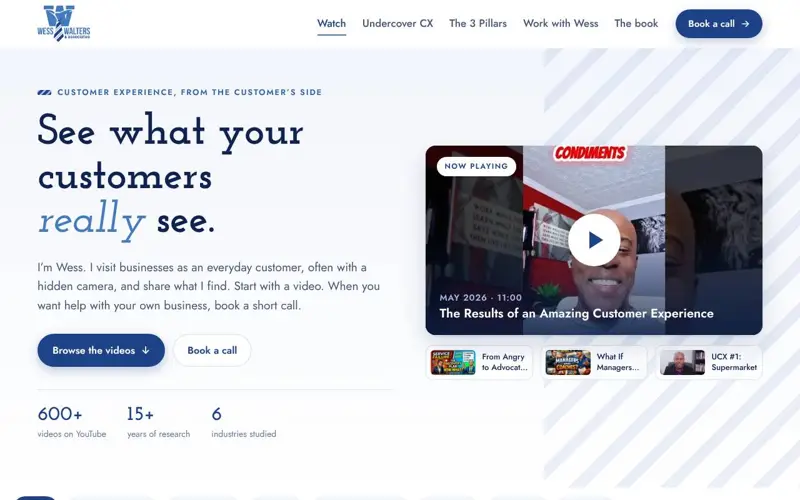
On the left is your home page today. On the right is the new one, live. Scroll both.

Before

wesswalters.com home page, captured on a computer screen

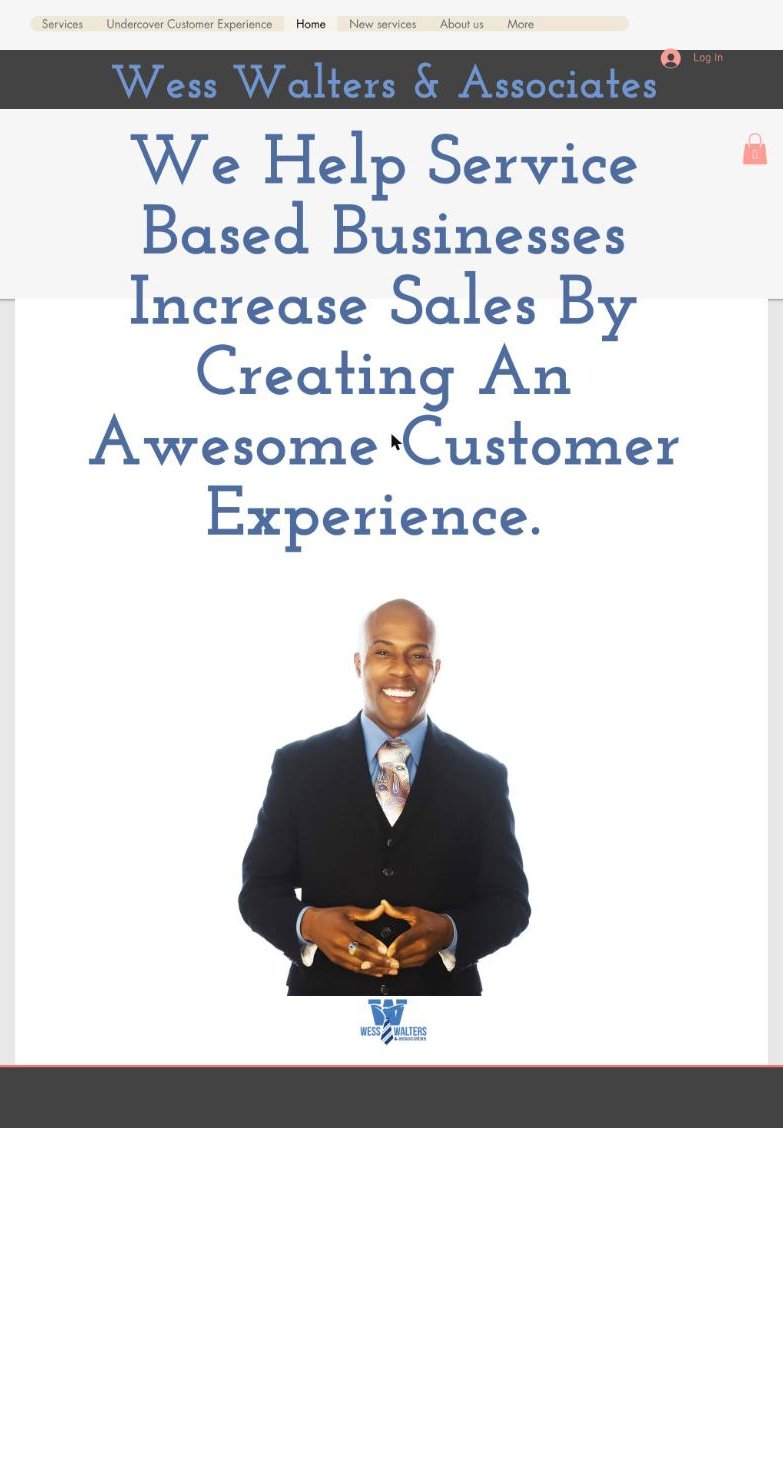
Current wesswalters.com home page: a large headline, a photo of Wess and the logo
  • Your photo works. A warm, confident smile. People see you first.
  • Your blue and your slab headline type already feel like you. The new site keeps that feel.
  • The home page is one headline and one photo. Nothing to do next.
  • The good stuff, like Undercover CX, your book and your videos, sits behind 11 menu links.

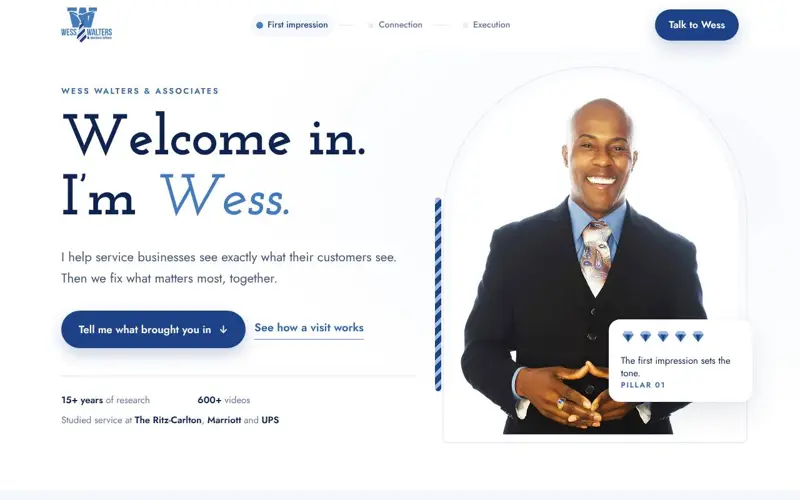
After

The new site, live. Tap and scroll.

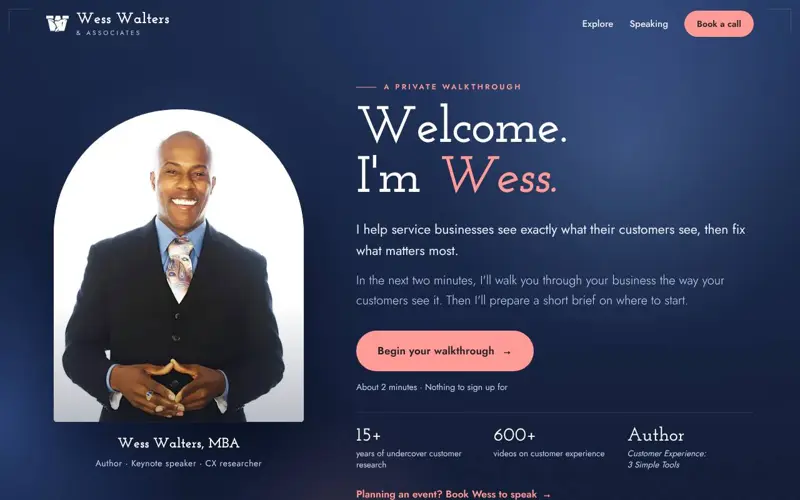
  • It greets people. "Welcome. I'm Wess." Your photo, like a host at the door.
  • It walks them through their business. A two-minute walkthrough built on your 3 Pillars. They leave with a short brief.
  • Everything in one place. Undercover CX, your videos, your story and contact, in four tabs.
  • One tap to talk to you. "Book a call" stays at the top of the screen.

What changed, side by side

Same Wess. Same words. Same blue. Here is what is different.

Before
After
First thing people see
BeforeOne headline and a photo.
After"Welcome. I'm Wess." His photo greets them like a host at the door.
What visitors can do
BeforeRead, then find their own way through 11 menu links.
AfterTake a two-minute walkthrough built on his 3 Pillars and leave with a short brief.
His best material
BeforeUndercover CX, the book and the videos sit behind the menu.
AfterUndercover CX, videos, his story and contact, up front in four tabs.
Reaching Wess
BeforeContact is one of 11 menu links.
After"Book a call" stays at the top of the screen. One tap.
His voice
BeforeHis words, spread across many pages.
AfterHis own lines, word for word: "Go ahead and talk to me." and his 3 Pillars.
2 minwalkthrough, nothing to sign up for
4 tabsUndercover CX, Watch, Meet Wess, Contact
1 tapto book a call
Your words3 Pillars, "Go ahead and talk to me."
Step 2 · Click through it

Your turn. Take the walkthrough.

Jump to any part, or scroll the page yourself. Switch between computer and phone.

The site

Preview · Welcome

This is an exact copy of the live site. The walkthrough runs in full here, brief and all. Sending the brief, the contact form, the booking calendar and the video player only work on the live site. Everywhere else, the buttons point to your real links: your booking page, your YouTube videos, your book and cards pages on wesswalters.com, and your social accounts.

Step 3 · How it changed

Built fast. Checked every step.

AI drafts fast. The real work is checking each draft against the real thing: your site, your words, you. Here's how your site got here.

wesswalters.com today: a large headline and a photo of Wess
STARTING POINTwesswalters.com

Your current site

A headline, your photo and 11 menu links. Your real material sits on the pages behind them: Undercover CX, the book, the cards, your story.

Your wordsYour photoYour 3 PillarsYour blue and coral
What I keptYour words, your photo, your slab headline type and your blue with a coral accent. I moved the good stuff from behind the menu to the front.
The new site: dark blue welcome with Wess in an arched frame and a coral Begin your walkthrough button
THE NEW SITEOctober

A private walkthrough

One page that greets visitors, walks them through their business in two minutes using your 3 Pillars, and hands them a short brief. Then four tabs for everything else.

2-minute walkthroughPersonal brief4 tabsContact form
What I changedFirst it ran on basic web hosting. I moved it to a safer host and rebuilt the two forms, with 29 automated checks that they still work the same.
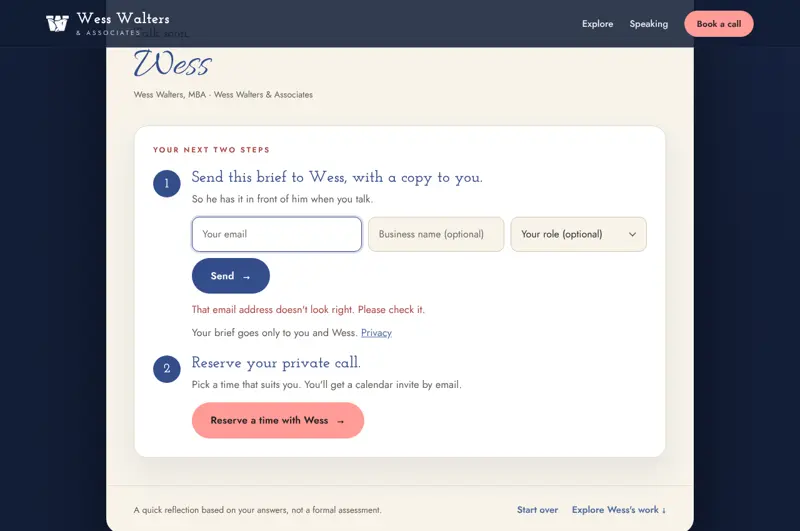
The end of the walkthrough: a personal brief with two next steps
TODAYLive now

Ready for your domain

The site is live at a preview address today. Your domain still points to the old site.

LiveHidden from search for nowPhone and computer

Other directions I tested

I also built four quick concepts to test against the main site. None of them replaced it. They're here so you can see the checking.

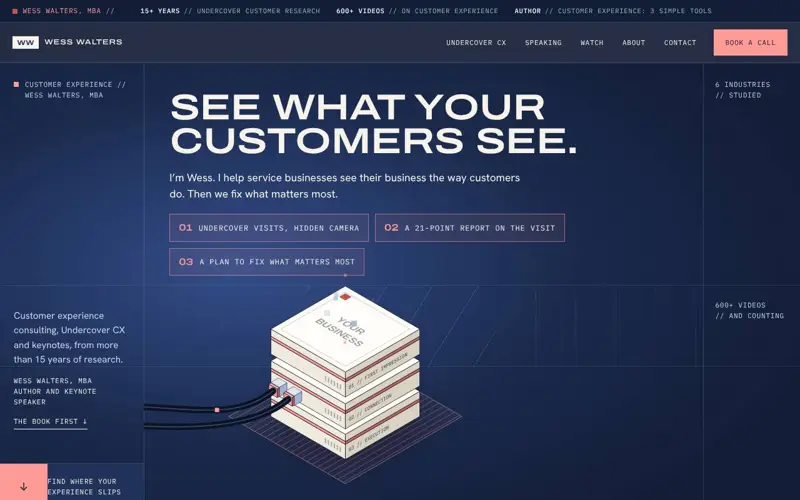
Concept: bold five-page layoutFive pages, boldA bold, graphic test.
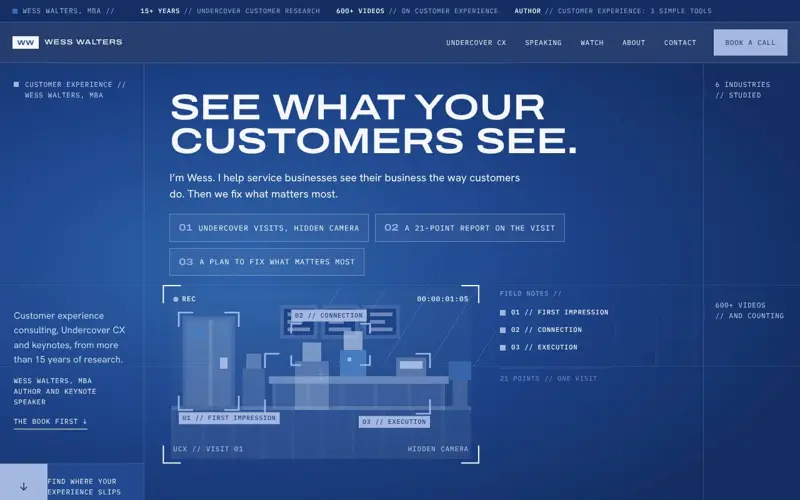
Concept: logo blues with a hidden-camera drawingLogo bluesSame layout I use for others.
Concept: videos-first layoutVideos firstPicked a layout, then fit you in.
Concept: Welcome in, built from a profileWelcome inA test of profile-first design.

The point: any AI can make a page in minutes. Making it right means checking every draft against the real you, and saying so when it's off.

Step 4 · How I built it

Public sources. Your words. Checked, not trusted.

Tap each step to see exactly what went in.

Gather

Everything came from places anyone can see. Nothing behind a login.

Sources
  • •wesswalters.com home, Undercover CX, New services, About, Who is Wess Walters, Book and Resources, CX eXcellence Cards, Speaking and Contact pages
  • •youtube.com/@WessWalters 610 videos on the channel today. Episode titles and stills.
  • •linkedin.com/in/wess-walters, instagram.com/wesswalters, facebook.com/WessWaltersandAssociates for the footer links
  • •Your logo file, for the colors

Public only

Only what anyone can see on your site and channels. No private files, no logins.

Your words win

When you've said it, I use your words. When I wrote it, I mark it.

Checked, not trusted

Every AI draft gets checked against the real source before you see it.

Confirmed from your words

  • Your 3 Pillars: First Impression, Connection, Execution
  • "Go ahead and talk to me."
  • 15+ years studying customer service, by participant observation
  • Marriott, The Ritz-Carlton, Hyatt, Sheraton, UPS, Walgreens, Emory Healthcare, Darden Restaurants, Turner Broadcasting
  • Hospitality, freight, restaurants, retail, healthcare, entertainment
  • Researchers wear hidden cameras and blend in as customers
  • A 21-point report after each visit
  • "The very first company to receive 5 Gems"
  • 600+ videos (610 on your channel today)
  • info@wesswalters.com and 347-719-0749

Need your OK

  • "Welcome. I'm Wess." and the welcome lines under it. I wrote these.
  • The walkthrough questions and answer choices. I wrote them around your 3 Pillars.
  • The brief at the end. I wrote it in your voice, and it signs off "Talk soon, Wess."
  • The speaking talk descriptions. Check they match what you offer today.
  • "Book a call" opens meetings.hubspot.com/wess-walters. Is that the right calendar?
  • Briefs and notes go to a test inbox today. Which email should get them?

Step 5 · What's next

The site is the frame. Your voice fills it.

Part 1

The site

  • The site you just clicked through
  • On wesswalters.com once you send what's missing
  • Yours to keep
  • I show you how to update it yourself

Already in place · Built together

Your AI already knows you

We built this in our sessions. The site is the last piece. Now it sits on top of everything you already run.

  • Your Skill. Claude knows who you are, your 3 Pillars and how you talk.
  • Your email and calendar. Connected, with your OK before anything goes out.
  • Your Gemini Notebook. Your material in one place, ready to draw from.
  • Your Guru Path. A clear picture of where you are with AI, and what to practice next.
Your voice, wherever you make things
ClaudeGeminiGemini NotebookGrokLinkedInInstagramEmailand more

20% of every fee goes to serving widows and orphans.

Included · One call, screen shared

Your 15-minute website setup

We do it together. You drive, I guide. You leave able to change your own site.

  1. 0 to 5 minGet the keys. You get access to your site's files, and Claude gets connected to them.
  2. 5 to 10 minChange your own website. Ask Claude to change a line. Look at the preview. Say yes, and it's live.
  3. 10 to 15 minMake it yours. The booking button goes to your calendar. Briefs and notes land in your inbox. Then we point wesswalters.com here.

Want one built from your words?

  • Show me where your knowledge lives
  • Choose a style you like
  • Review everything before it goes live
Charles Robinson Executive Capacity Map charles@executivecapacitymap.com Book a free 30-minute call